04 December 2013

Have fun with photos at photofunia

I found this terrific "photofunia" site via Vivian, one of the teachers at Glenroy Neighbourhood Learning Centre. She uses the site for students when they first join a class there. The idea is that students upload a photo of themselves and do something fun with it, for example turn themselves into the Mona Lisa, or a design on top of a cappuccino.

It's kind of an ice-breaker, but people are also learning basic skills in web browsing and file management (upload, download files, remember where you saved it etc).

Teachers at PRACE were a bit interested, so I made this help file for their students. Let me know if you find it useful.

Links:
  1. photofunia dot com
  2. the help file (in pdf format - stored in google drive)

(Cross-posted from the e-learning at PRACE blog.)

=> By Michael Chalk

10 October 2013

Jane Hart's Top 100 Tools for Learning, 2013

She's done it again. For the fifth year running, Jane Hart has compiled a list of the top 100 tools for learning, as ranked by educators around the world. Over 500 educators listed their own top 10, and Jane's put them all together somehow to come up with this massive list. 

What I like most about the original list was that each tool would link back to its category, where you could see for example all the "video learning platforms" on one page and compare them. But that feature seems to have been dropped now. Can anyone find it? 

I did vote in the first couple.. but keep missing it since then. 

What about you... what would be your top 10 tools for learning? 

..let us know in the comment section. 

The presentation slides version:


...or the text version on her own site.


17 September 2013

Around the region... new adventures

It's been wonderful to meet people who are relatively new to e-learning, as well as to catch up again with those of you who are continuing your journeys. So far this project, we've discovered:
=> At Glenroy NLC, teachers are looking to connect students from different locations, using web conferencing software known as Lync (microsoft).
=> People at Richmond CLC are starting to explore mobile learning and introduction to tablet apps (the iPad).
=> Out at Community West, they've been investigating how to make powerpoint more interactive for students engaged in language learning.
=> At Tullamarine Community House, the manager wants to get a group of volunteers together to start managing their social media presence more actively.
=> At Yooralla Adult Education, one woman is working out how to put some modules for the Work Education certificate into a "learning management system (LMS)" known as moodle. She's been working on a thing called "ADDIE" - a framework used by instructional designers, incorporating "Analysis, Design, Development, Implementation, & Evaluation"
=> Teachers and co-ordinators at Jesuit CC in Collingwood are aiming to build a web presence for young students on a Certificate of General Education for Adults (CGEA) course that combines art practice and outdoor education. Probably using wikispaces.

=> And there's more going on in the far Northern regional stretches of this massive North-West region too. Out at Murray ACE Inc, they're finding ways for students to build an "e-portfolio", possibly using a web-based tool known as "google sites".
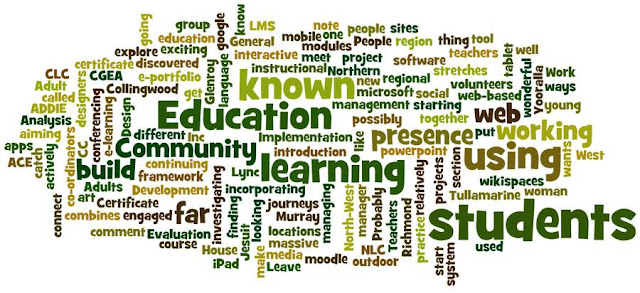
word cloud via wordle.net
[ word cloud via wordle.net ]

Leave a note in the comment section if you'd like to know more about any of these projects.

NB: there are many ways to make a "word cloud": try this list of 10 for starters.

Michael Chalk
for the North-West e-mentor team

17 June 2013

It's Roadshow Season! Please join us. Friday 28 June.

If you haven't noticed already, there's an e-learning Roadshow coming to you very soon. In Melbourne's metropolitan region, we're setting up the show on Friday 28 June, the last day of term 2.. at the CAE in the heart of the city's coffee-scented Degraves street haven.


Don't miss out.. book now for this terrific opportunity to network with your colleagues, share your stories and find out what e-learning educators have been up to all around the state of Victoria.

There will also be regional roadshow days, for example Mooroopna on Wednesday 17 July.

And yes we are coming to the end of this 12 month e-learning mentor project.. but never fear, you will be able to re-apply for the next 6 months, for more individual support from your local mentors.


06 May 2013

an interview with Carmen Harris

Recently I spoke with Carmen Harris from Yooralla adult education. Carmen was involved in the North-West e-learning mentor projects back in 2011. She told me all about the amazing work they've been doing with literacy and technology over there, including blogs, facebook, email lists and zines.

You can listen to the interview right here. I was aiming to edit down to 5-8 minutes, but Carmen just kept on saying interesting things. Highly recommended for an insight into creative classroom practices.

Please use the comment area to give us your feedback.

Find out more about Carmen's work over here at their LitnTech site.
 

Tech notes:

We spoke over Skype and I recorded the call using a thing called "Amolto skype recorder". Really impressed with the sound quality.. but it was interesting that the Amolto app gave no warning it was recording. Just so you know.. it is possible that someone could be recording you in a Skype conversation without telling you.

I've used soundcloud to host the audio files, which is a very impressive app used by musicians and podcasters around the world. The free account gives you 200 minutes of sound files.


30 April 2013

Investigative Teachers at Community West


A wonderful project at Community West in St Albans, where Dinna Tayao has invited teachers to join a weekly session of exploration and sharing.

I went out to visit Dinna and her team of investigating educators. They have been running a fantastic in-house exploration of all kinds of e-learning.

Each week one teacher explores a new strategy, software or other resource, evaluates its usefulness in class with students, and then reports back to the other teachers. 2 hours a week. They've had visiting expert speakers as well. Brilliant work from Dinna and the teachers at Community West. What a great job they are doing.

One teacher had researched the idea of using powerpoint to engage students in the colour, language and meaning of signs. What impressed me most was the way she had given such close attention to noticing how the students responded at each stage.

*Question of the Week*

I showed the teachers at Community West how google docs/ drive can work for collaborative writing. There was some enthusiasm around its potential, and also some reservation around the complication of requiring a login (too challenging for lower levels).

And a great question from one of the teachers: tell us who's been using this, and how?

[Oh no, did I really turn up without any case studies in hand? Yeh, I don't think they were too impressed actually, and fair enough.]

So who can tell us of some great examples or case studies of teaching and learning with google docs? Please add your thoughts in the comments below.

best regards, michael


29 April 2013

Collaborate and create documents together - with google drive, desktop edition.

Logo for google apps. No idea who owns this image sorry.
3 Questions:
  • Are you using google docs? (aka google drive)
  • Have you noticed that you can now access your google drive files and folders via your desktop?
  • Have you noticed that you can share any kind of file via this cloud system now, not just google documents?
Google drive is now a lot like dropbox - a place to share files and folders with people in different locations. You get 5gb of storage space, and you can access and manage the filing system via your local file manager*. 

[*eg: Windows Explorer on windows, or Finder on mac.]

Most people are better at managing file systems via their own file manager rather than via a web app - making new folders, moving files from one location to another. Why upload via a web page, when you can copy/paste from one desktop folder to another.

Once you store files in the google drive space, you can share them with other people, either to view or to edit. It doesn't have to be a google doc. You can also publish documents on the web. For example, here's an intro to google drive (desktop edition), a PDF file stored in my own google drive area.

Updated, Dec13: [Download a copy here.]

4th question: is there enough info in this document to get started? What's missing?

Oh wait, I know what's missing. How could this be useful for education? 

Please respond to any of the questions in this post via the comments area below. Thanks so much,

Michael Chalk

PS: I have updated this document to mention that you can allow people different editing rights (thanks Jill for that feedback). 

07 April 2013

What’s the Difference Between “Using Technology” and “Technology Integration”?


Are we just going through the motion or are we making a difference in the classroom with the use of technology? The table below makes a good comparison. Here is the link to teachbytes blog


01 March 2013

Dropbox, an introduction

Michael Chalk and Ian Hall present an intro to Dropbox:

  • How to get it,
  • what it's for and
  • what can you do with it. 
Thursday 07 March, 12:30 AEDT. Location TBA (online - you'll need a headset)


Especially for the folk of the Loddon Mallee and North-West regions, however everyone is welcome. Please indicate here in the comments, or on the ACE network Ning events page (login req'd), whether we'll see you. Come and share your knowledge if you already have some experience.

Still booking an online room, but we'll let you know how to find us.

We'll talk briefly about the other options, for example Google Drive and microsoft Skydrive, but the main focus will be on Dropbox.

45-60 minute presentation, followed by optional conversation and networking, Q & A time.

23 November 2012

What's happening around the region?

Here in the North-West, we've met with some inspiring educators from 8 different organisations.

It always intrigues me when i meet people who say, "We're real beginners with e-learning, we don't really know what we're doing," and then you find out they're already experimenting with all kinds of engaging practices in their classrooms. So often, people in adult education don't recognise what's already happening in their teachers' practice.

Here's a very brief overview of what people are working towards on these e-learning mentor projects. So far, people are looking to:

  • find a way to enable the trainer to support many people at different levels of information and communicative technologies (ICT) awareness in the one "drop-in" session (RCLC),
  • build up resources to share across English as a second language (ESL) classes using online storage & discussion space (wikispaces) (Yarraville, Laverton),
  • employ presentation software to engage low-level language and literacy students, and expand techniques of using data projector in the classroom (JSS), 
  • set up networks of students between different organisations, using "keypal" strategies (students email between classes) (Glenroy),
  • engage staff via virtual staffroom to explore and share strategies for engaging learners (Lalor LLC), 
  • build or adapt a model for blended learning across the organisation (Glenroy, AMCS), 
  • explore ways to overcome student fears of technology (JSS), 
  • find a learning management system (LMS) that suits learners at very low levels of technology confidence (AMCS). 


-----
Credits for photos in the presentation: Urban DonPixel Addict

08 November 2012

Workshops coming up very soon (face-to-face)

In November, we have 2 half-day workshops for anybody in the region. The sessions are face-to-face, held at the CAE (Flinders Lane, Melbourne) and free to attend. Both sessions will have opportunities for networking activities & discussion, as well as Q&A problem-solving. Bookings are needed however. (Please use the form below.)

Day One:
Thursday 15 November 1:00 - 4:00pm
Working with images and photos -
  • examples: flickr, instagram
  • ideas for using photos in class
  • books & zines with Publisher
  • optimising images

Day Two: 
Tuesday 27 November 9:30am - 12:30pm
Exploring powerpoint and other slide-based presentation tools,
  • for in-class face-to-face interaction
  • teaching ideas
  • hands-on practice
  • audio in powerpoint

21 September 2012

First meetings underway

What a great turnout we had last week for our "induction sessions" in at the CAE. Educators from nearly all organisations came along, and we talked about many things:
  • what e-learning is, 
  • what the issues are, 
  • what you would like to learn about, 
  • what you are doing already, and 
  • various ways to stay in touch during the project. 
Here's the presentation from the day, including input from everyone in the room as we went along. You should be able to make this full-screen, and move through the slides. If you'd like to add or remove anything, please let us know via the comments or direct contact.

11 September 2012

Which model of e-learning suits you?

Clint Smith is one amazing e-learning strategist. You may have seen him at the recent Victorian LearnLocal e-learning showcase. According to Clint, these 8 models are the most commonly understood representations of how people engage with e-learning in business and education.

We asked our participants which of the models were most likely to interest them. Blended Learning and Live Online Learning (aka web conferencing) were the most interesting.

We held a live poll in person at the North-West induction sessions, via sms and also the web. People could vote here on the page, but now voting is closed, and here are the results, showing a clear winner for "blended learning 2.0".

You need the Flash Player to view this page.

Didn't get to vote? Don't like the results? Maybe you agree, and would like to add something. Please leave us a comment below (look for the bit that says "(number) comments". I made this poll at smspoll.net, after seeing Michael Gwyther use it at a forum.

06 September 2012

Session on voice tools with Coach Carole (Friday 07 Sept, midday)

Carole McCulloch is terrific. She used to work at the very amazing TAFE Frontiers, which was a kind of professional development peak body for e-learning in Victoria. They were hugely supportive of Adult Community Education (ACE) organisations at the time.

Coach Carole has been involved in the LearnLocal / ACE e-learning mentor project since the beginning, and when Carole runs a session .. you want to be there.

So today, at midday Friday 07 September, make sure you catch her session on "Inspiring and engaging learners with voice tools ..

Full details over in the ACE network Ning place.. via the events page. Direct link here.

The session is over, but the wonderful thing about web conferencing sessions in our "Blackboard Collaborate" space is that you can view the recordings later on. Here's the link to the session recording. (Thanks Carole, /via comments.)

23 August 2012

Let's start at the very beginning - new projects!


Great news everyone. There's a new round of e-learning projects about to be underway in the North-West LearnLocal region. Some organisations are returning, while others have been participating at the edges, and a few are complete newcomers to our network.

Welcome one and all. Here's the list of starters:
  • Australian Multicultural Community Services
  • Community West Inc
  • Glenroy Neighbourhood Learning Centre
  • Jesuit Social Services trading as Jesuit Community College
  • Lalor Living and Learning Centre
  • Laverton Community Integrated Services Inc.
  • Richmond Community Learning Centre
  • South Kingsville Community Center
  • Yarraville Community Centre
It's always a good feeling at the beginning... the hope that you'll make new mistakes instead of the same old ones. Mistakes are necessary for learning, right? The enthusiasm that comes when people meet for the first time.

We're inviting all the participants to come join us for a face-to-face get-together, an "induction" to use the bureaucratic language. 

Either Tuesday 11 Sept, 9:30-12:20 or Thursday 13 Sept, 1:00-3:50pm. Both sessions at the Centre for Adult Education (CAE) at 278 Flinders Lane: Mezzanine Room CM12. Yes i left the location off the invitation email. Whoops. 

At the face-to-face get-together, we'll open up discussion on topics like these:

  • Overview of e-learning - what do people do already?
  • Goals of the project: trial something with learners.
  • What activities can work with your learners?
  • What do you want to learn, and how?
We'll tackle some technical skills, explore some communication tools, and talk logistics of how to connect, coming to visit you and so forth. 


Photo credit: (creative commons at flickr) Thanks: Pixel Addict.

12 August 2012

Jane Hart's top100 technologies for teachers

Jane Hart has been researching teachers' favourite technologies for teaching and learning for the past 5 years (UK). Here's a slideshow of the world's top 100 tools for learning (2011).

What are your top 5 tools for learning? You have around 15 days to vote in the 2012 poll, via this link here.

What do you think of the list? Please add your comment below.


03 August 2012

Brad Beach on Online Facilitation (15Aug)


Here's one that's too good to miss: via the TDC (Tafe Devt Corp), Brad Beach from GippsTafe talks about Online Facilitation.

Brad has been one of the truly significant leaders in this field for some time, and GippsTafe have run great workshops in online facilitation.

Online facilitation is one of the major skillsets that i think people often overlook as they get into setting up online communities and networks. Whether it's real time web-conferencing (synchronous) or round-the-clock discussion forums (asynchronous), there are many strategies you can collect and develop to help you draw people in and engage your community.

Yes it costs $60 and it's only an hour, but it would be worth signing up i'd say.

Register here (link).


26 July 2012

e-learning conference in Bendigo (join virtually)

You may not be able to attend the Bendigo e-learning LearnLocal conference in person, but you can attend virtually.

Happening Tomorrow!!
Friday 27 July

Via the ACE e-learning network, register for sessions.

Whether or not you've experienced web conferencing via the connection of "Blackboard Collaborate", you can always jump in and have a go. Attend a conference from your desk.

  1. The main event page here [Link]. (login required, it's via the ACE e-learning network)
  2. Sessions via the network event page.

Some great sessions on offer, more information via these links:


08 July 2012

WIKIs: setting your Notifications and posting a Discussion

Following on from that exciting 'Advanced' WIKI webinar in which nothing seemed to go right, I decided to produce a screencast on the topic of setting your Notifications to receive emails when someone posts a Discussion.

Notifications are a powerful feature that makes your wiki interactive: everyone can follow the latest addition of content and discuss these collaboratively.

At CNLC when a new member joins the Staffroom I advocate that the Notifications are set so that the new person can join in to group activities effectively. However, we've fallen behind with such aspirations lately as competing priorities invariably push wiki PD to the side so now there's a screencast which hopefully anyone can follow to change their Notifications independently.


It's been almost two years since I've produced a screencast using Screencastomatic so I was pleased to see that I remembered most of the key features (although I could've set up the title screen - forgot to do that) and I like the Add Notes feature, allowing the viewer to head straight to a later section of the screencast if they wish.

I'd be interested to know if you've used the screencast successfully to manage your Notifications. You can reply here or send us an email.

24 June 2012

Photos from the E-showcase12

Here are a few images from the very successful and superbly organised day at William Angliss Conference centre on 22 June 2012.
I'm quite impressed with the features of the photo uploader and photoshow tool at the Learn Local NING,  I'll grab the Embed code and see if I can share the Photoshow here.


Find more photos like this on Learn Local e-learning network
Well, it's worked: though as with all trials, there are a few hiccups. I'm not sure why the images autoplay in reverse order, and the captions have disappeared. Oh well, you can drop by the Learn Local e-learning network (AKA ACE NING) at: http://acenetwork.ning.com/ to view them properly.